Meet Battle Maps: A Free D&D Battle Map Generator That Runs in Your Browser
A free D&D battle map generator. Pick a biome, tweak the dials, and get a hand drawn, VTT ready map in minutes. Come draw one.
I built something for the table, and I want to hand it to you before your next session!
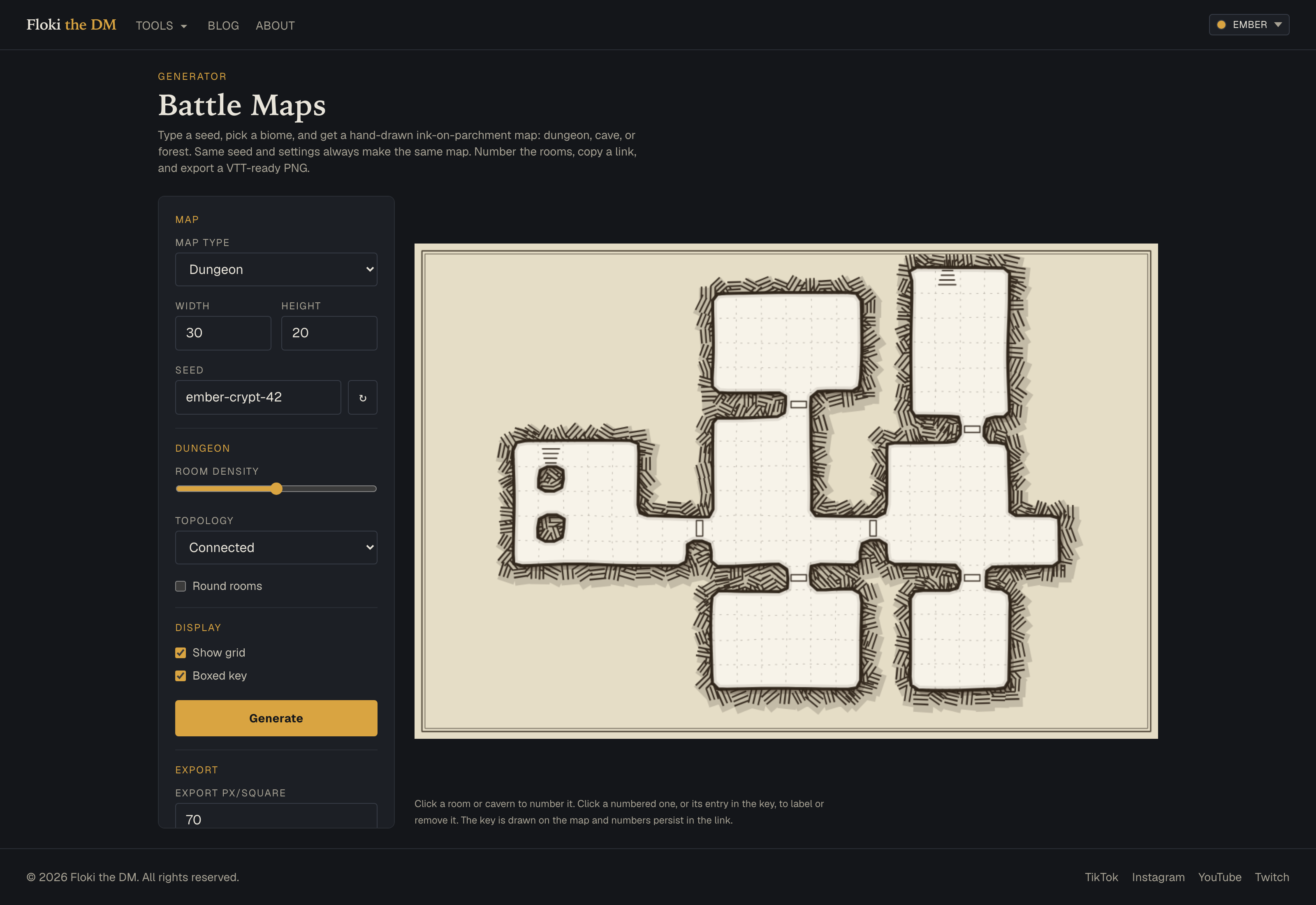
Battle Maps is a free battle map maker with no signup right here in your browser!! You pick a biome, tweak a few dials, and it draws you a battle map in that classic one page dungeon look. No accounts, no downloads, no waiting. Whether you're prepping a dungeon crawl in the quiet hours before game night or scrambling because the party wandered somewhere you never mapped, you can have a map in minutes. Here's what's under the hood.
3 Biomes, Each With Their Own Dials
The tool covers 3 biomes: dungeon, cave, and forest. Each one hands you its own set of controls, so you can shape the space instead of rerolling and hoping.
The Dungeon Map Generator
For dungeons, you set the footprint. Width runs 10 to 60 squares, height runs 10 to 40. Then you choose the topology. Connected stitches everything together. Tree gives you a branching sprawl with no loops. String is a tense, one way descent. Room density and round rooms let you decide how packed and how organic the halls feel.
The Cave Map Generator
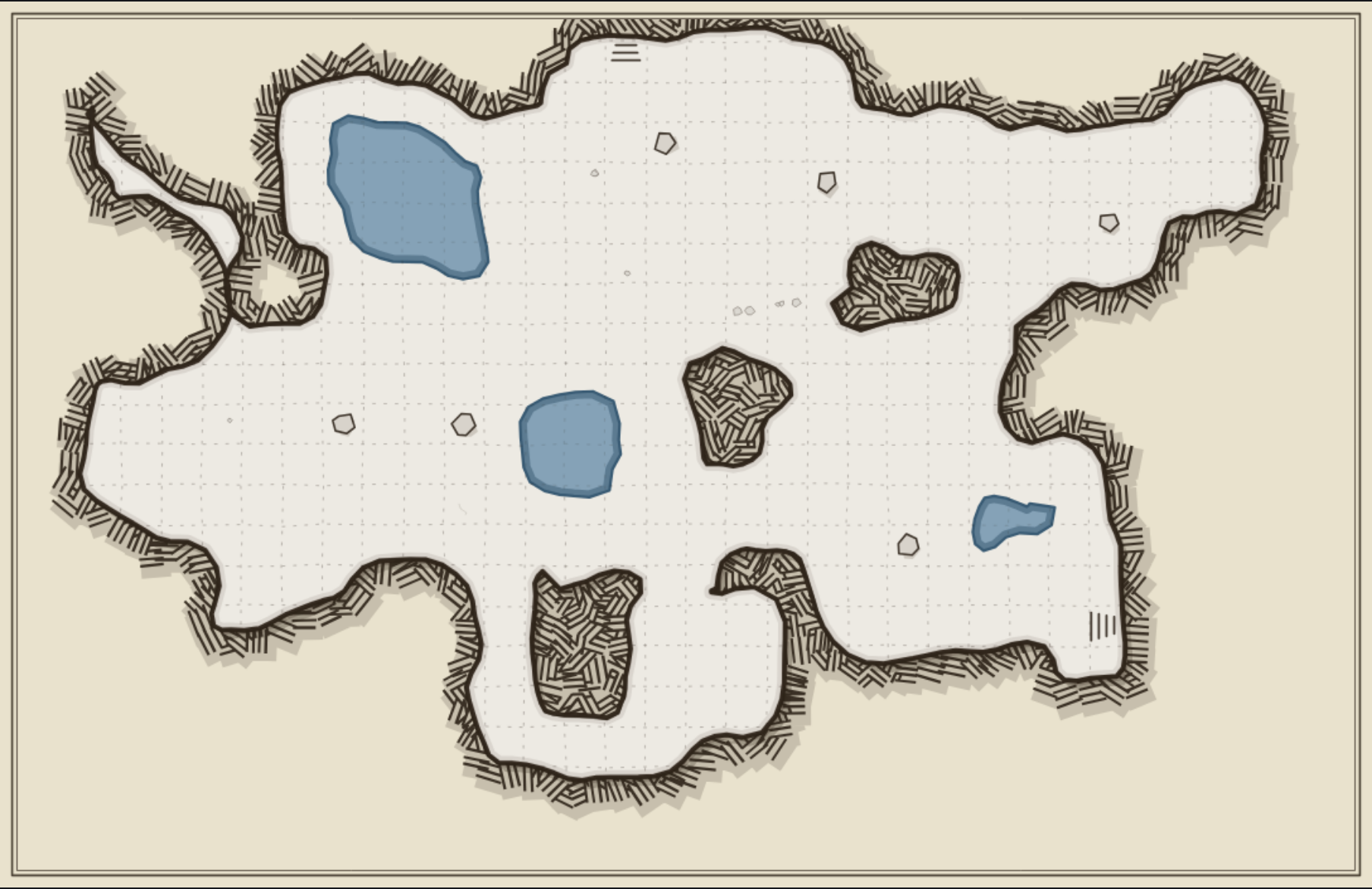
Caves refuse to sit in neat rectangles, and your map gets to be just as unruly. Crack the caverns wide open or squeeze them into a warren with the openness and topology dials, then keep rerolling the water level in the cave until the underground is exactly how you want it.
The Forest
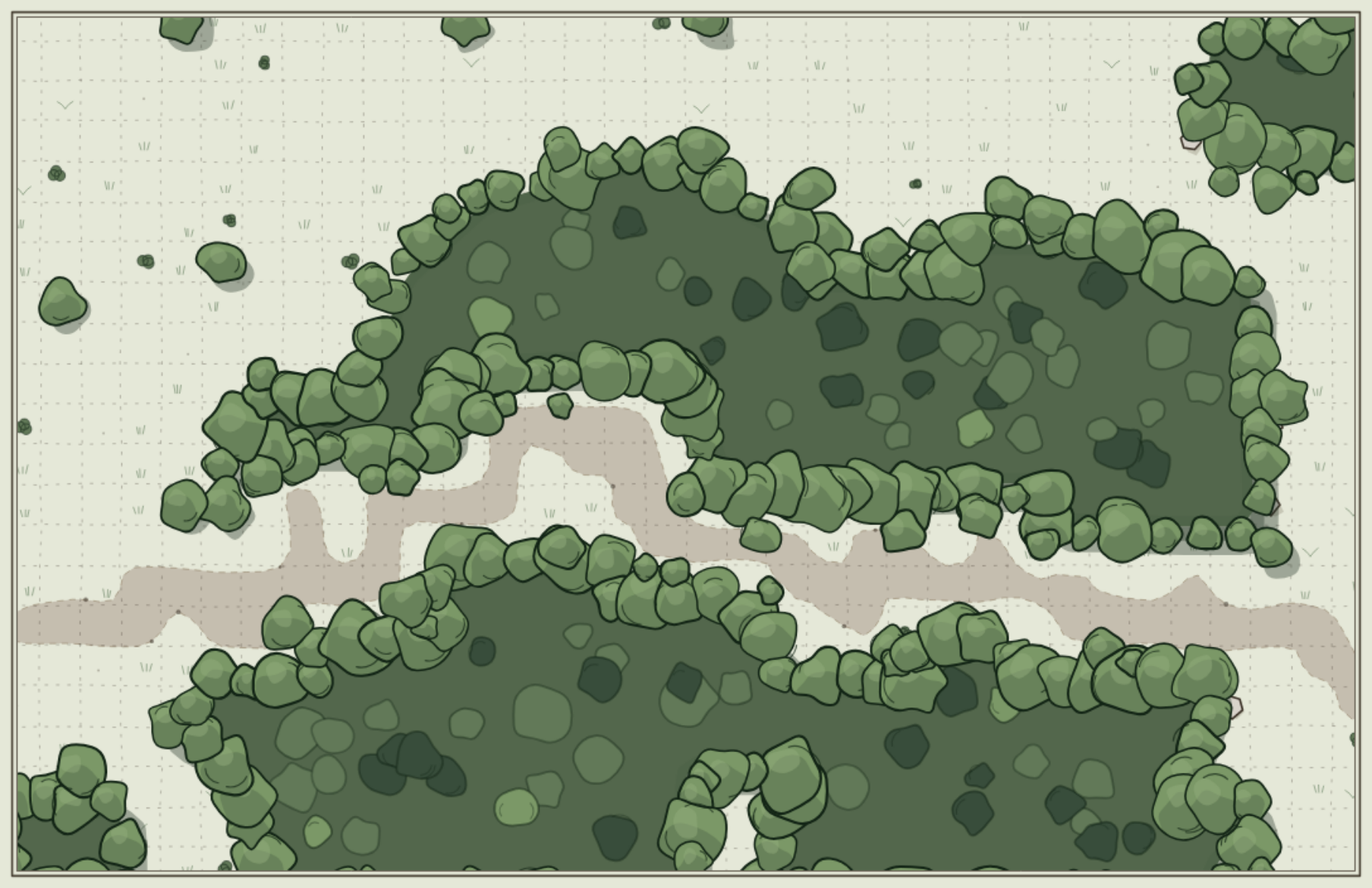
Forests keep it simple. You dial tree density and water, each rerollable on its own, so you can thicken the canopy or thin it out and drop a stream through the clearing without touching everything else.
Seeded, Shareable, and Always Connected
Every map has a seed number, and this is the piece I'm proudest of. Seeding means the same seed and settings always produce the identical map. Change nothing, and you get the exact same map every single time.
That gets you 2 things. First, you can recreate a map exactly, so the one you loved in prep is the one you run at the table. Second, Copy Link shares the exact map with anyone, no export or file passing required. Send the link to another DM or a player and they open YOUR map, not a lookalike.
The tool handles connectivity for you too. Maps are always fully connected, so every room is reachable, and it auto places entrance and exit stairs. You're never staring at a sealed off chamber or cleaning up a dead end by hand. The map you get is a map your party can actually walk through.
Number the Rooms and Let the KEY Draw Itself
A raw map is a start. A keyed map is a tool. Battle Maps lets you turn one into the other with a few clicks.
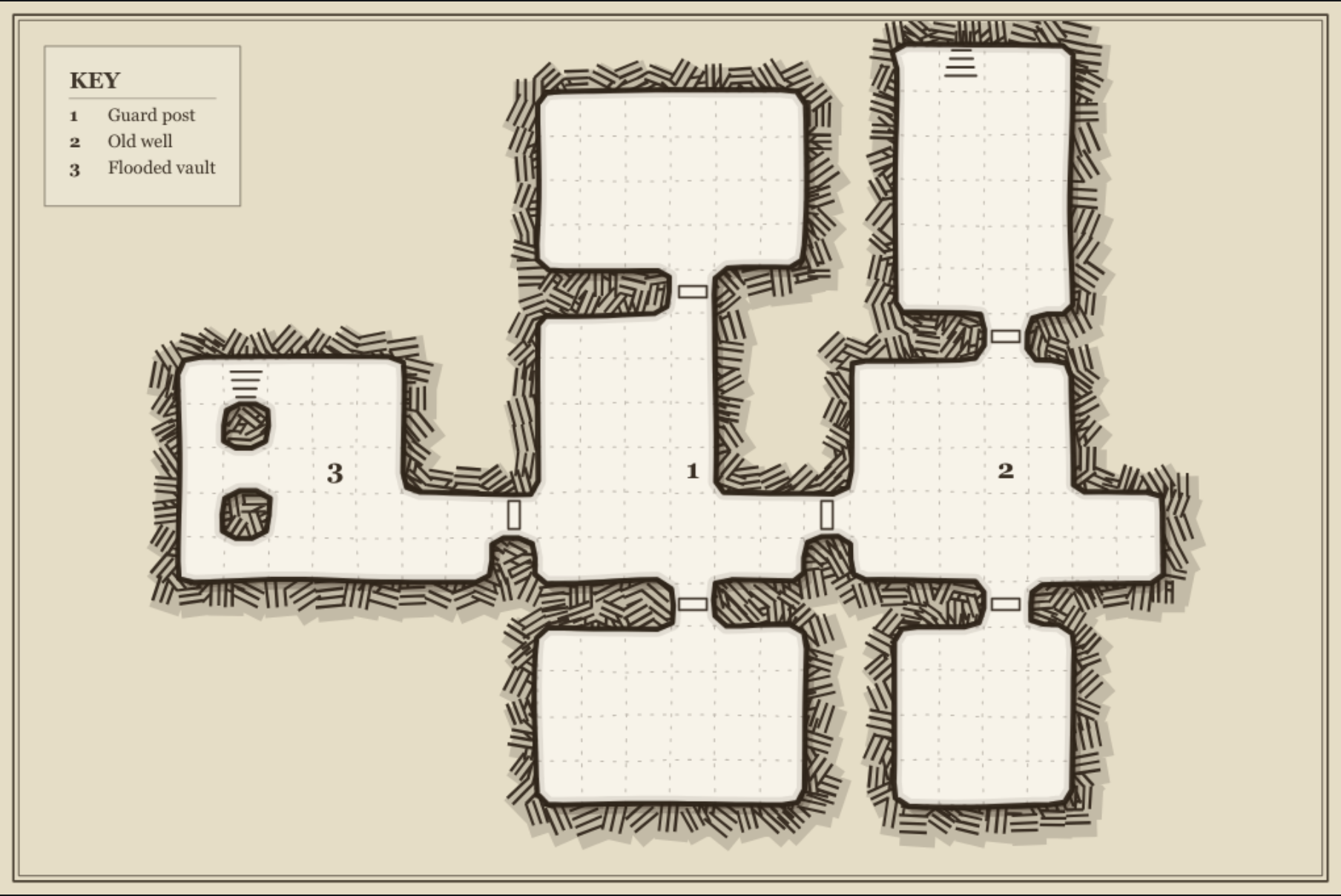
Click rooms and caverns to number them in click order. Click a number again to label it or remove it, so you can name the Flooded Vault and the Collapsed Stair and leave the rest bare. As you go, a hand drawn KEY legend draws itself right on the map in the matching ink style, auto placed in the largest open space so it never crowds your rooms. You choose whether it shows as a boxed card or as floating text. Best of all, that KEY travels. It's baked into your exports and rides along with every shared link, so whoever opens your map gets the legend too.
Export VTT Battle Maps or Print for the Table
When the map is ready, you send it wherever your game lives. For digital tables, export VTT battle maps as a PNG at any resolution from 30 to 140 pixels per square. Running Roll20 or Foundry? Set it to 70 px/square and it drops in grid aligned. If you want it to sit under existing terrain, toggle on the transparent background. Prefer paper? There's a separate print sheet export for the table, and a grid toggle so you can show the squares or hide them for a cleaner look.
Next time you need a map, whether it's planned to the last torch or improvised mid-session, pull up Battle Maps and draw one. Stock it with a few fresh NPCs, scatter some loot worth fighting over, and send your party in. I made this for your table. Go put it to work!